







Freddy Paint
Draw on a Freddy outline with a mouse and experiment with marks around the character's familiar facial features.
About Freddy Paint
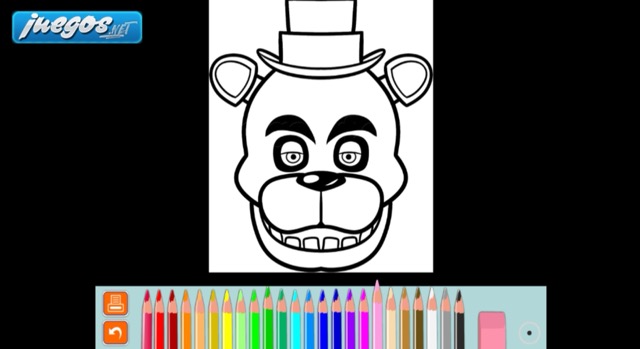
The drawing screen shows a large Freddy face above a row of colored pencils and tool icons. It is a drawing activity with an outline to work on, rather than a night-survival game.
Mouse dragging creates a continuous stroke. Start with a short mark in an open area of the picture so you can judge the current brush before working near the eyes, teeth or other small details.
How to Play Freddy Paint
Hold the left mouse button over the picture and drag to draw, then release it to end the stroke. The pencil row is beneath the canvas. Check the result of a short stroke after selecting a tool or color before applying it to a larger area.
Keep small details readable
Work in short strokes near the black outlines. A broad mark can cover a facial feature as easily as an empty area, so leave room around details you want to preserve. The curved arrow at the lower left returns to the title screen; do not use it expecting a one-stroke undo.